Direct answer
Mascot Mashup is a College Football 27 mode in which every player on the field is a mascot with a 99 Overall Rating. Enter it from Play on the main menu, choose Play Now or Play a Friend, select the mascots and teams, then win full games to unlock more mascots and track the collection in the Trophy Room.
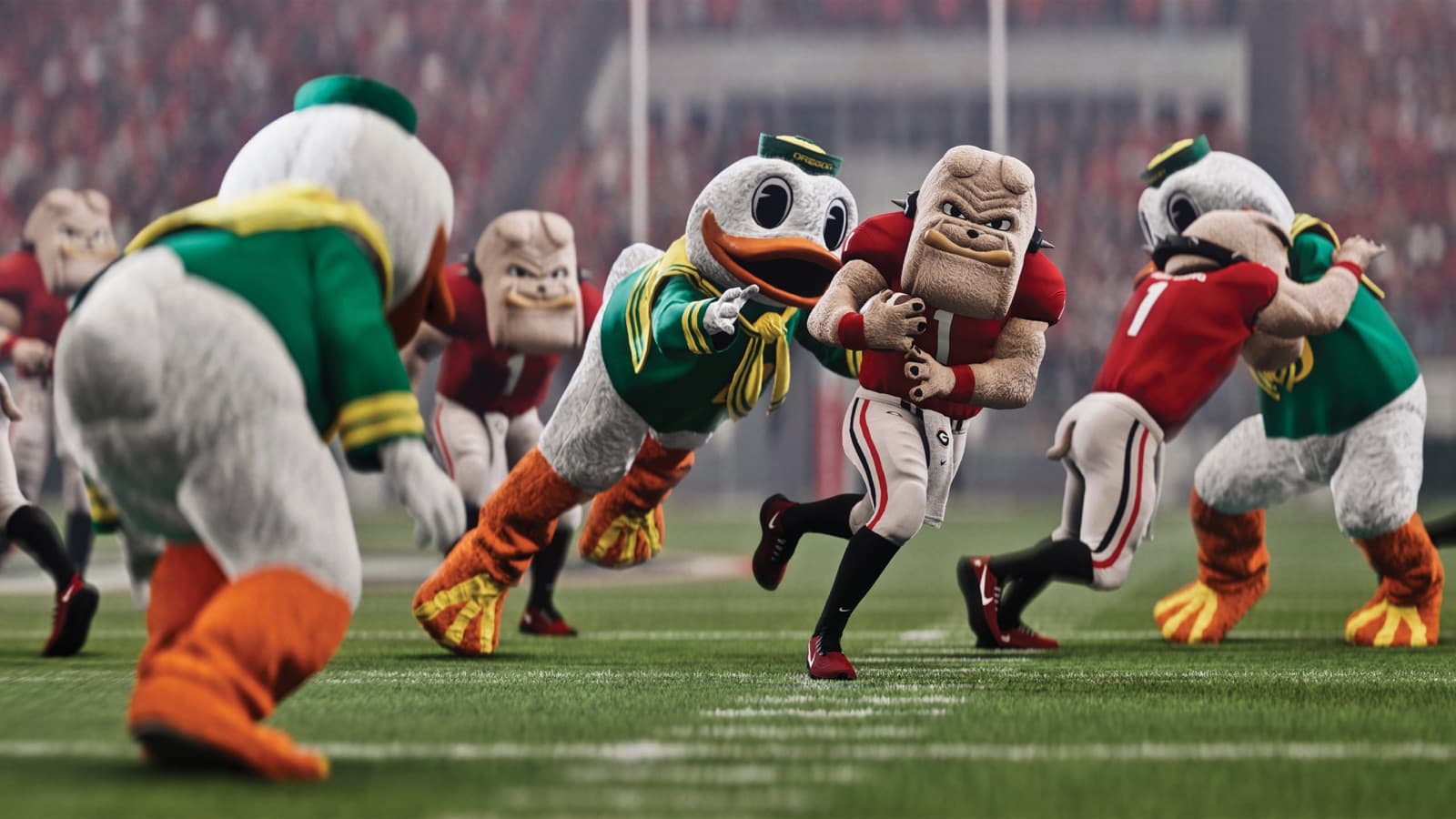
Official College Football 27 Mascot Mashup gameplay cinematic.
How Mascot Mashup changes a normal game
Mascot Mashup uses the core College Football gameplay foundation, but it replaces every player on the field with a mascot and adds deliberately playful twists. Every mascot has a 99 OVR, so one mascot does not gain a basic ratings advantage over another. EA frames success around play-calling, stick skill, and execution rather than finding a higher-rated character. That makes the mode approachable, but it does not make every decision interchangeable.
The mode includes mascot-themed pre-play celebrations, exclusive trick plays, more explosive movement, deeper field-goal range, unique touchdown celebrations, and less predictable events such as broken tackles and forced fumbles. Those features can create abrupt changes in field position. A conventional drive can become a score quickly, while a seemingly secure play can turn into a turnover. Expect a faster emotional rhythm than a standard simulation-style matchup.
- All mascots begin from the same 99 OVR baseline.
- Play-calling and user execution remain differentiators.
- Movement and kicking can reach beyond normal expectations.
- Broken tackles and forced fumbles make possession less predictable.
How to start Play Now or Play a Friend
From the College Football 27 main menu, select Play, then Mascot Mashup. Choose Play Now for a matchup in which you select your mascot and team as well as the opponent mascot and team. Choose Play a Friend when you want a direct matchup with someone you know. The selection separates mascot choice from team choice, so take a moment to confirm both sides before advancing.
For an efficient first session, use Play Now to learn how the special movement, kick distance, and trick plays feel, then move to Play a Friend once both players understand the altered rules. If you are helping a new player, explain that the 99 ratings level the starting field but do not automate reads, timing, pursuit, or ball security. The better call can still fail when execution is late, and a simple call can still win when it attacks open space.
- Open the main menu and select Play.
- Choose Mascot Mashup.
- Select Play Now or Play a Friend.
- Confirm your mascot and team, plus the opponent choices when using Play Now.
Build an offense for explosive mascot movement
More explosive movement and exclusive trick plays make space especially valuable. Begin with calls that let you see the defense clearly, then use motion, misdirection, or a special concept only when you understand what it is trying to manipulate. The official sources confirm the presence of trick plays but do not promise that one concept always beats a particular coverage, so avoid treating any play as an automatic answer.
Deeper field-goal range changes the point at which a drive can produce points. Check your available kick rather than relying on a distance learned in another mode. This does not mean every long attempt is automatically successful; user timing and match context still matter. As advice, decide before third down whether you are already near a realistic attempt, because that can change whether you call a low-risk play or chase a first down aggressively.
- Use simple calls to learn movement before leaning on trick plays.
- Create space, but keep a ball-security plan for volatile contact.
- Reassess field-goal range during the match.
- Make fourth-down decisions from the current mode, not habits from another one.
Defend without relying on ratings gaps
A universal 99 OVR removes the obvious plan of targeting a visibly lower-rated mascot. Defensive success therefore starts with alignment, leverage, pursuit, and recognizing what the offense is attempting. The unusual player models and celebrations can be visually distracting, so identify the ball and formation before the snap instead of following the most animated character.
Broken tackles make pursuit discipline important. Send the nearest defender under control, then use the rest of the defense to close escape lanes rather than stacking every player at the initial contact point. Forced fumbles can reward pressure, but chasing a strip on every tackle can expose extra yards in many football games. The safer recommendation for a new player is to secure the stop first and let turnover opportunities emerge from good positioning.
Use the Trophy Room to track the collection
The Trophy Room is the collection hub. From the main menu, select More, open Trophy Room, and use the left-side menu to reach Mascots. It shows which mascots you have unlocked, which remain locked, and your overall progress. Selecting a locked mascot displays its unlock requirements, so the Trophy Room is the authoritative in-game place to check what to do next instead of relying on an assumed universal condition.
College Football 27 starts you with ten unlocked mascot choices: Alabama, Georgia, Indiana, James Madison, Miami (FL), Ohio State, Oklahoma, Oregon, Texas Tech, and Tulane. EA's official game page says the full mode contains more than 120 collectible mascot icons. Win full Mascot Mashup games to unlock additional mascots and expand the collection.
Recommendation: choose a small target group rather than treating the entire collection as one grind. Open each desired locked entry, note its requirement, and work on the clearest available objective first. This is organizational advice, not a claim that one unlock order is faster for every account. Requirements shown in your Trophy Room should take precedence if progression changes after an update.
- Open More from the main menu.
- Select Trophy Room and scroll to Mascots.
- Choose a locked mascot to read its current requirement.
- Win full Mascot Mashup games and return to the Trophy Room to review progress.
A practical learning and unlock routine
A useful session can combine skill practice and collection progress. Start by checking one desired unlock in the Trophy Room. Play a full game with a familiar starting mascot, using the first half to test core calls and the second half to adapt to what worked. After the game, review whether a new mascot appeared and recheck the selected requirement. This loop keeps the next objective visible while still improving decision-making.
When playing a friend, agree to spend an early drive exploring the exclusive play set if both players are new. Then play normally and compare which calls created clean space rather than only remembering the biggest animation. This is a friendly practice suggestion, not a built-in rule. The equal OVR baseline makes these sessions useful for isolating reads and execution without attributing every result to a ratings difference.
Finally, accept the mode's intended unpredictability. A sound decision may still end in a forced fumble, and a missed tackle may become a huge play. Judge improvement across several possessions: fewer blown assignments, better use of field-goal range, more deliberate trick-play calls, and a clearer unlock plan. That perspective preserves the arcade-style fun without abandoning football fundamentals.
- Check one unlock requirement before playing.
- Finish the game so the win can count toward additional unlocks.
- Review decisions across multiple possessions, not one chaotic result.
- Return to the Trophy Room for the current progression state.