Direct answer
For the easiest start in College Football 27, we recommend learning one offensive concept and one defensive call in Practice Mode or Skills Trainer, then playing a low-pressure Play Now game before beginning a long-term mode. Keep your first sessions simple: use coach suggestions, avoid stacking pre-play adjustments, and practice the new catch and tackle controls deliberately.
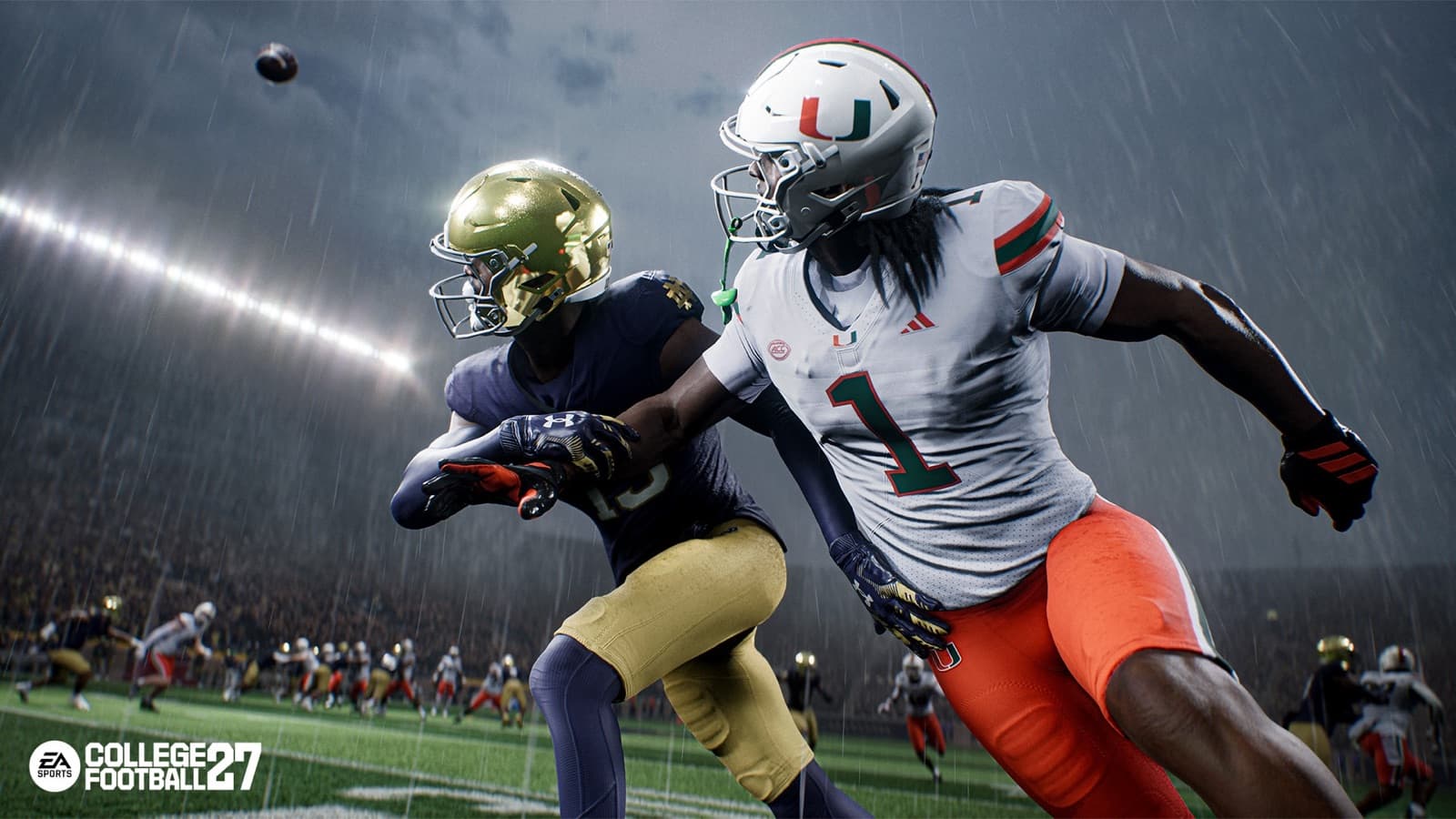
Official College Football 27 gameplay cinematic showing a contested catch in changing weather.
Choose a first mode that matches your goal
College Football 27 includes Play Now, Dynasty, Road to Glory, College Football Ultimate Team, Road to the College Football Playoff, Online Head-to-Head, Mascot Mashup, and Practice Mode or Skills Trainer among its available experiences. Those modes ask for different kinds of attention. Play Now is the cleanest place to learn a full game without committing to a season, while Practice Mode and Skills Trainer let you focus on execution. Dynasty adds staff, recruiting, program resources, and season planning. Road to Glory centers the experience on a created player and that player's career decisions.
After one complete game, choose the mode that matches what you enjoyed. Pick Dynasty if program building and multiple seasons interest you. Pick Road to Glory if you want to develop one player. Choose an online mode when you are comfortable with the controls and accept that a human opponent will be less predictable. Mascot Mashup is another distinct option built around mascot teams, but it should not be mistaken for a tutorial. There is no wrong first destination; the useful choice is the one that keeps your initial learning goal narrow.
Learn the new catch and tackle inputs
Timing Based Catching adds an optional skill layer after a pass is released. With the feature enabled, hold the desired catch type—aggressive, possession, or run after catch—and release near the green portion of the meter before the ball reaches the receiver. EA explains that the window changes with difficulty, game style, coverage, catch difficulty, and receiver ratings. A slightly early release uses a ratings-driven outcome, while a perfect release hits the green window. The system does not erase ratings or make every well-timed attempt automatic.
The Tackle Stick maps four defensive tackle choices to the right stick: up for Hit Stick, down for Cut Stick, left for Lunge Tackle, and right for Wrap Tackle. For a beginner, our recommendation is to favor the wrap tackle while learning pursuit angles. Save higher-risk attempts for situations where you understand the space and the ball carrier's path. That is strategic advice based on reducing input complexity, not an official promise that one tackle type always produces a better result.
Practice these systems separately. On offense, throw the same route several times and change only the catch type or release timing. On defense, approach a ball carrier under control and try each right-stick direction. Repetition is more informative than rapidly switching schemes, difficulty, and controls at the same time. If Timing Based Catching feels distracting, the official deep dive confirms that the traditional ratings-based catch logic remains available when the feature is disabled.
- Catch practice: choose the catch type, watch the meter, and release before contact with the receiver's hands.
- Tackle practice: use up for Hit Stick, down for Cut Stick, left for Lunge, and right for Wrap.
- Learning rule: change one variable at a time so you can identify what affected the result.

The scene is an original field-manual illustration; use the verified facts on the page as the source of truth.
Keep pre-play decisions readable
College Football 27 reorganizes its pre-play controls. On defense, up and down on the directional pad change the camera, left opens Coach Vision, and right opens Dynamic Subs. The defensive adjustment system also groups coverage tools into contextual hubs. On offense, major protection controls are grouped under the left trigger. Custom Adjustments can be built, named, and saved from Create and Share, covering tools such as fronts, coverage behavior, protection, pressure looks, routes, hot routes, and player assignments.
Coach Mode offers another way to learn the decision layer. When enabled, the CPU handles post-snap action while the player manages the game before the snap. Its settings include Auto Quarterback, Auto Snap, Coach Suggestions, Pre-Play Cutoff, and Pre-Play Audio. If you care more about play selection and situational decisions than stick execution, trying Coach Mode is a reasonable recommendation. It is a separate style of play, not a mandatory beginner setting.
Use a simple first-game plan
For your first Play Now game, our suggested offensive plan is deliberately modest: establish one dependable run, pair it with a short pass, and add one deeper concept only after you recognize the coverage. Choose catch types with the situation in mind rather than defaulting to the most aggressive input. A possession choice can fit a conversion attempt near a defender, while run-after-catch makes sense when there is open space. These are general play suggestions; EA does not state that a catch choice guarantees a particular result.
On defense, start with calls whose assignments you can describe. Before the snap, locate the safeties, note whether a receiver is isolated, and avoid making several coverage changes without understanding their interaction. The updated pre-play hubs make press, cushion, leverage, pass-commit, zone, and individual-receiver adjustments available. Availability is not a reason to use every option. A useful beginner target is to make one sound call, maintain pursuit leverage, and finish with an appropriate tackle input.
Know when to enter a career or team mode
Dynasty is designed around building a coach and a program. College Football 27 adds Athletic Director expectations and the Dynasty Blueprint, through which program resources can be directed to staff, facilities, and name, image, and likeness decisions. That makes Dynasty a better second step when you want decisions to carry across weeks and seasons. Before starting, we recommend deciding whether you want a forgiving rebuild, a high-pressure contender, or an online league with other users.
Road to Glory is the player-focused alternative. The official FAQ identifies new position options such as Tight End, Edge Rusher, and Safety, alongside expanded player customization. Decisions affect Draft Stock and Legacy Score. If learning one position appeals to you, Road to Glory can narrow your on-field responsibilities, but it also introduces career systems beyond a single exhibition game. Read the mode screens carefully instead of assuming that habits from a team-control mode transfer directly.
Follow this first-hour checklist
A structured hour is enough to establish a useful baseline. The sequence below is our recommendation, not an official onboarding requirement. Stop and repeat any stage that still feels unclear. Progress should mean that you can explain your input and intended result, not merely that you won a game.
If a menu, account, connection, or gameplay issue prevents progress, use the official College Football 27 help hub linked in this page's sources. Check the current help topic before relying on an old workaround, because support guidance can change after title updates. Keep a note of your platform, mode, and the exact point of failure when seeking support.
- Open Practice Mode or Skills Trainer and repeat one run and one short pass.
- Practice Timing Based Catching with one receiver and one catch type at a time.
- Practice wrap, lunge, cut, and hit-stick tackles in a controlled situation.
- Play one Play Now game with coach suggestions and minimal pre-play changes.
- Review what felt difficult, then choose Dynasty, Road to Glory, or another mode with a clear goal.