Direct answer
College Football 27 gameplay adds optional Timing Based Catching, expanded coverage and defensive playbooks, faster pre-play tools, Custom Adjustments, and updated trench and tackling systems. Official team ratings provide a dated comparison point, but this site has not performed a hands-on review and will not invent a score or personal verdict. Use the verified system summary and test checklist below to evaluate the game on your own platform.
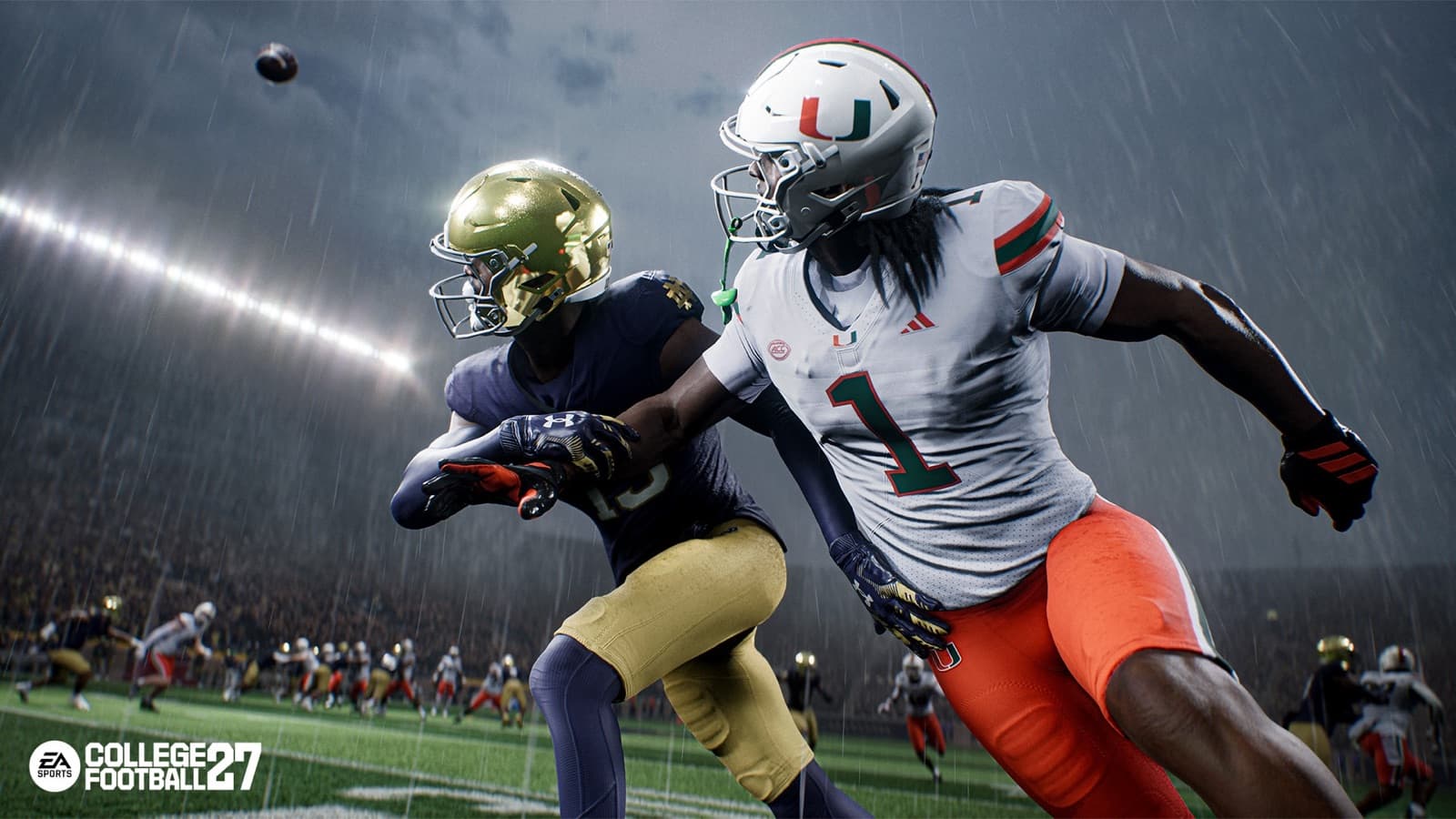
Official College Football 27 gameplay cinematic showing a contested catch in changing weather.
Editorial test protocol · sourced mechanics
A review without a fabricated score
The site has not completed a controlled hands-on review. Use the same test conditions and keep verified mechanics separate from personal observations.
- RecordPlatform, build date, mode, difficulty, control settings, and network context.
- RepeatOne passing concept, three catch choices, a base coverage, a pressure, and tackle inputs.
- SeparateTeam ratings, user execution, connection quality, and system behavior.
- ConcludeWrite strengths, limitations, and unresolved questions—not an invented number.
Dynamic data: open the dated official ratings source before quoting a team value; this page intentionally does not freeze a large ratings table.
What the official gameplay sources establish
EA's Gameplay Deep Dive describes changes across passing, catching, coverage, defensive playbooks, line play, movement, abilities, Coach Mode, substitutions, tackling, and pre-play control. The August 6 title update then records live tuning and fixes after release. Together, those sources can establish which systems exist and which areas EA says it changed. They cannot establish how the game feels to this site's editors because this site has not completed a controlled hands-on review.
That boundary matters for a search such as “College Football 27 review.” A feature list is evidence about design; it is not proof of responsiveness, balance, fun, visual quality, server stability, or value. We therefore do not attach a review score, claim that one system feels better, or quote an aggregate player opinion without evidence. The useful alternative is to explain the verified mechanics and give readers a repeatable way to test them.
Passing and Timing Based Catching
Timing Based Catching is optional. After a pass is released, the player can hold an aggressive, possession, or run-after-catch input and release it near the green window before the ball reaches the receiver. EA says the window responds to difficulty, game style, coverage, catch difficulty, and receiver ratings. A perfect input does not erase the surrounding football context, and turning the feature off retains a ratings-driven resolution path.
A fair test should isolate the system. Use Practice Mode, call the same route against a consistent look, and repeat it with each catch type. Note the receiver's separation, the selected catch input, the release timing, and the outcome. Then repeat with Timing Based Catching disabled. This procedure is our recommendation, not an official benchmark, but it prevents one spectacular catch or one drop from becoming the entire review.

This is an original pre-snap illustration with fictional players and stadium, not official gameplay footage.
Defense, fronts, coverage, and tackling
College Football 27 expands the defensive playbook structure to 31 books organized around six styles: Man, Man Pressure, Shell, Zone, Zone Pressure, and Multiple. EA also documents additional fronts, sub-packages, coverage checks, matchup tools, and cleaner audible transitions. Those systems are designed to give defenses distinct identities rather than presenting every book as the same menu in a different order.
The August 6 update changed several defensive and trench areas. EA reported blocking-logic improvements, pass-rush and stunt fixes, coverage and defensive-logic changes, coaching-adjustment fixes, and new plays in selected defensive books. The notes also describe tradeoffs in Defender Aggression against play action. These are developer-reported changes, not evidence that every edge case is solved. Current testing should use the updated build and avoid treating old behavior as guaranteed.
Pre-play control and Custom Adjustments
EA reorganized pre-play controls into contextual hubs. The defensive Global Coverage Adjustment hub includes tools for cushion, leverage, pass commitment, Smart Zone behavior, deep-zone focus, and receiver attention. Custom Adjustments let a player save named offensive or defensive packages and apply them with fewer inputs. Preset macros are also available for players who do not want to build a custom package immediately.
Speed is not the same as correctness. A saved package can apply the intended answer quickly, but it can also apply the wrong answer quickly when the opponent shows a different formation. Evaluate whether the interface helps you understand the resulting assignment, not merely whether it reduces button presses. The dedicated Custom Adjustments guide covers creation and activation; this page focuses on how to test the feature as part of gameplay.
How to read official team ratings
EA published an official College Football 27 team-ratings article on June 23, 2026. That page is an authoritative source for the ratings EA displayed at that point in the release cycle. It is not a permanent promise that every value will remain unchanged. Roster work and title updates can alter the context around a team, and the August update explicitly signaled further roster activity.
For that reason, this guide does not copy a large numeric table and present it as timeless. Open the official ratings source, note its publication or update date, and compare teams using the fields currently displayed there. If you record a number in an article, attach an as-of date and recheck it after a roster update. A rating of zero or a blank field should never be substituted for missing data.
Why this page has no hands-on review score
A credible hands-on review requires direct play on identified hardware, a known build, enough time across relevant modes, and notes that distinguish observation from expectation. This site does not have that evidence for this page. It would be misleading to write that the controls feel responsive, the presentation is impressive, the balance is fair, or the game is worth a particular score when those judgments were not produced by our own test.
We also do not convert official marketing claims into first-person experience. A developer can explain the design goal of a coverage system, while a patch note can document an intended fix. Neither source authorizes us to say “we tested it” or “it works perfectly.” The honest conclusion is narrower: the cited systems and updates are verified, while experiential evaluation remains with the player until a documented hands-on review exists.
A repeatable player gameplay test checklist
Begin in Skills Trainer or Practice Mode. Test one passing concept, all three catch choices, one run concept, one base coverage, one pressure call, and the primary tackle inputs. Then play a complete game with minimal adjustments. Record what you intended, what input you made, and what happened. This is a recommended evaluation method, not an official scoring model.
Next, test the modes that matter to you. A Dynasty player should inspect recruiting and program-management flow in addition to on-field play. A Road to Glory player should examine position control and progression feedback. An Ultimate Team player should assess lineup and objective navigation without assuming a launch event represents the full year. Online players should separate connection quality from local gameplay behavior whenever possible.
Finish by writing strengths, limitations, and unresolved questions rather than a rushed number. Recheck the current title update before blaming a known issue on the latest build or assuming it has been fixed. A useful verdict states the test conditions and acknowledges uncertainty. That creates information another player can evaluate, which is more honest than a fabricated score attached to official feature descriptions.
- Record platform, build date, mode, difficulty, and control settings.
- Repeat mechanics under similar conditions before judging them.
- Separate team ratings, user skill, connection quality, and system behavior.
- Treat official update notes as documented changes, not proof of perfection.
- Do not publish a hands-on score without hands-on evidence.